


174
社区成员
 发帖
发帖 与我相关
与我相关 我的任务
我的任务
 分享
分享| Course | EE308FZ Software Engineering |
|---|---|
| Name | Xia Yuanhao |
| Student ID | 832202123 |
| Requirements for this assignment | https://bbs.csdn.net/topics/619338880 |
| The objective of this assignment | Front-end and back-end separation contacts programming |
| Other Reference | https://github.com/alibaba/p3c |
The address book system's frontend is developed using the Vue framework, while the backend is built with the SpringBoot framework and uses MySQL as the database for storing and managing system data. Additionally, the system utilizes MyBatis to perform database operations.
The primary functions of the system include adding, deleting, and updating address book entries, as well as user login and administrator management features. In terms of architecture, the system adopts a frontend-backend separation approach, with the frontend communicating with the backend through APIs, thus enhancing the system's scalability and maintainability.
| Tasks | Estimated Time | Actual Time |
|---|---|---|
| System architecturea and module division | 0.5h | 0.5h |
| Module and interface design | 6h | 8.5h |
| Frontend development | 10h | 13h |
| Backend development | 18h | 20h |
| Database integration | 5h | 4h |
| Unit testing of individual modules | 2h | 2h |
| Integration testing for frontend-backend interaction | 3h | 5h |
| Deploy to server | 2h | 7h |
Registration
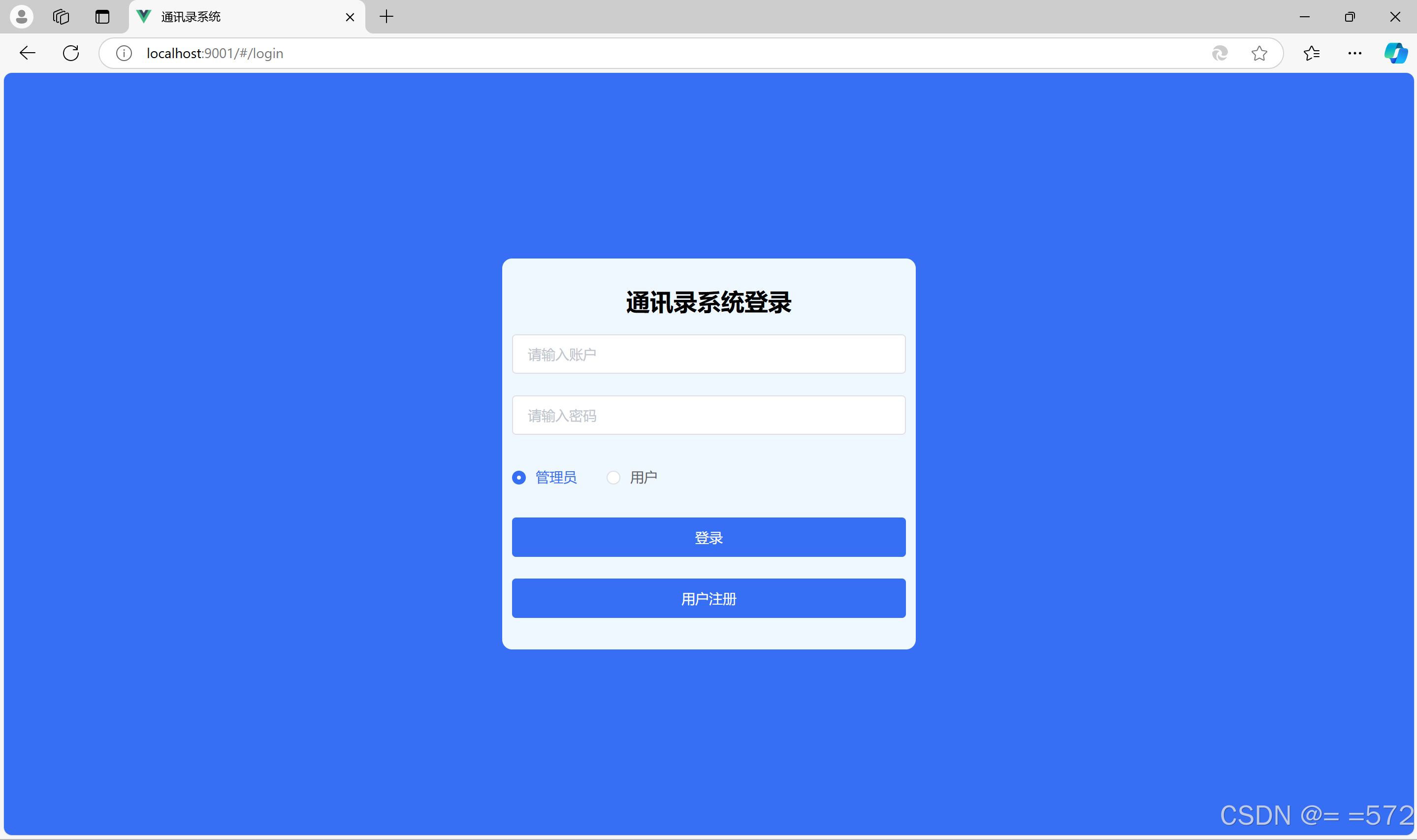
The system login page includes separate login options for administrators and users, with registration available for unregistered users on the same page.
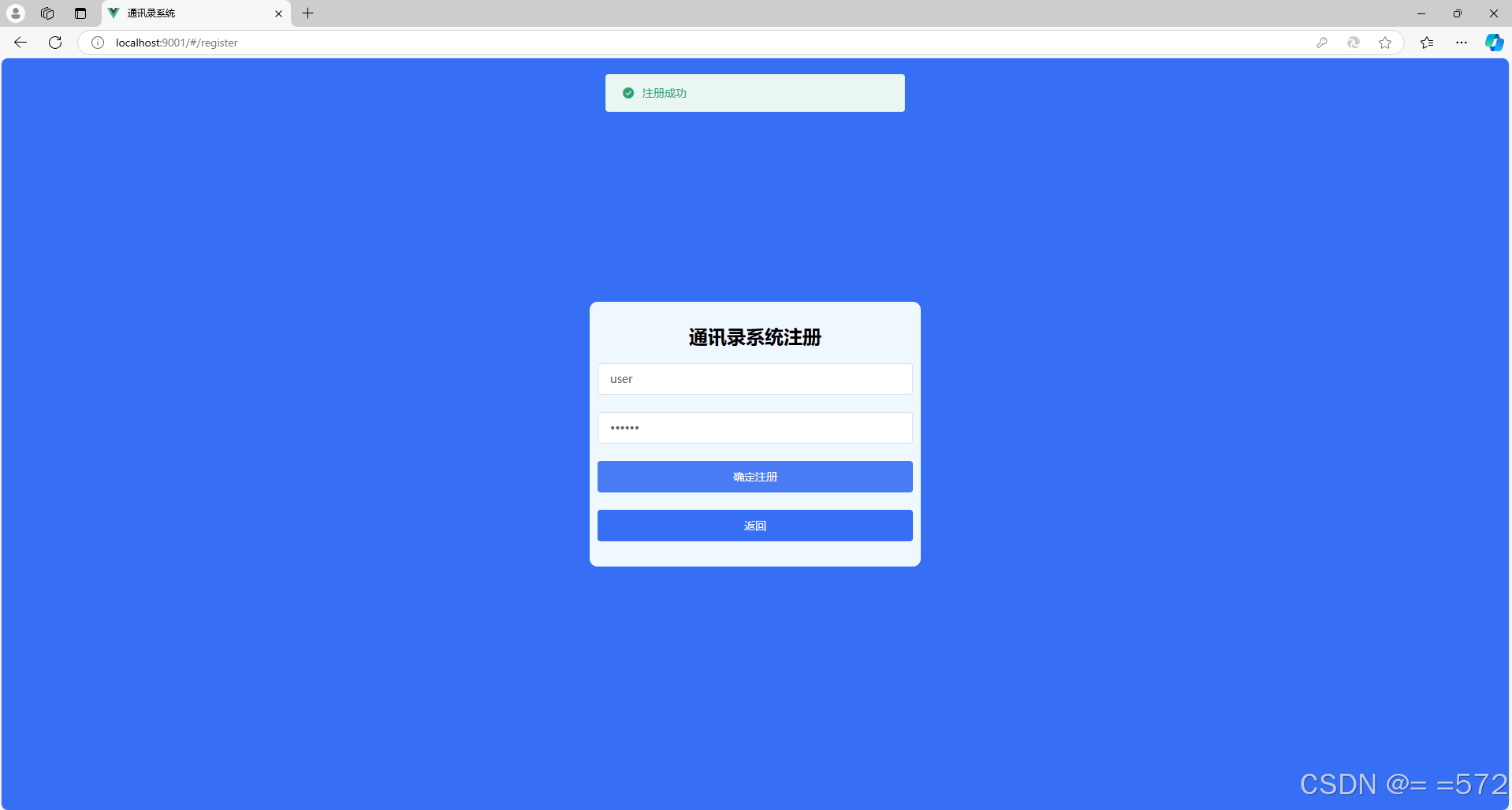
Unregistered users can register through the registration window.
Log in
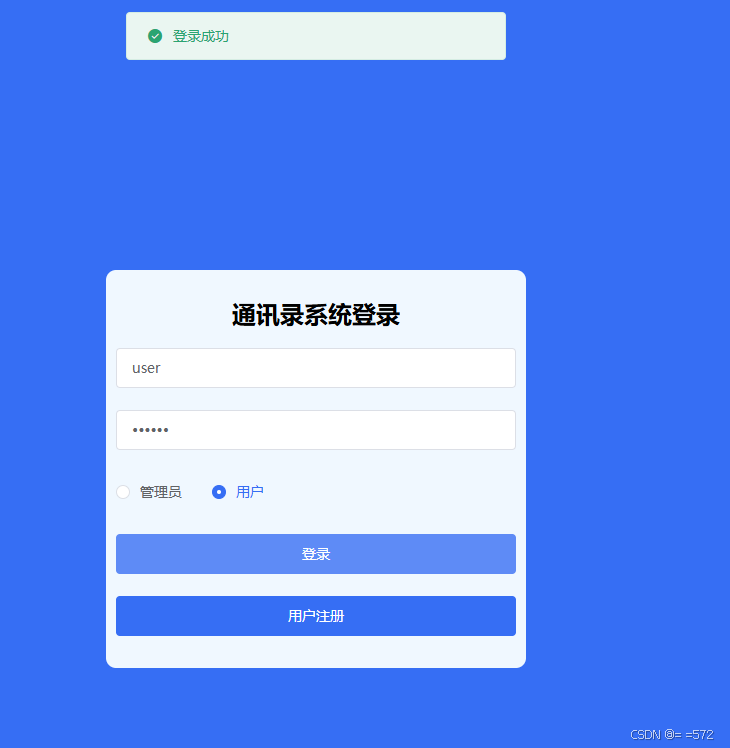
Enter the registered username and password, select the "User" button, and you will be logged in successfully.
Add
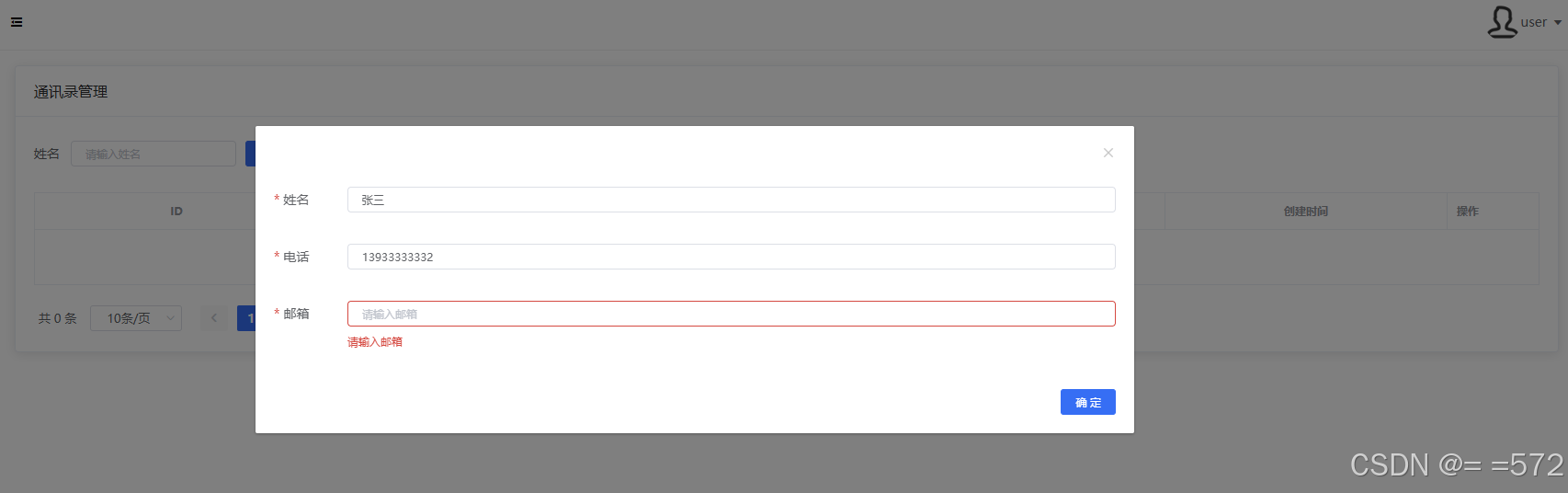
A contact can only be successfully added when the name, phone number, and email are all filled out.
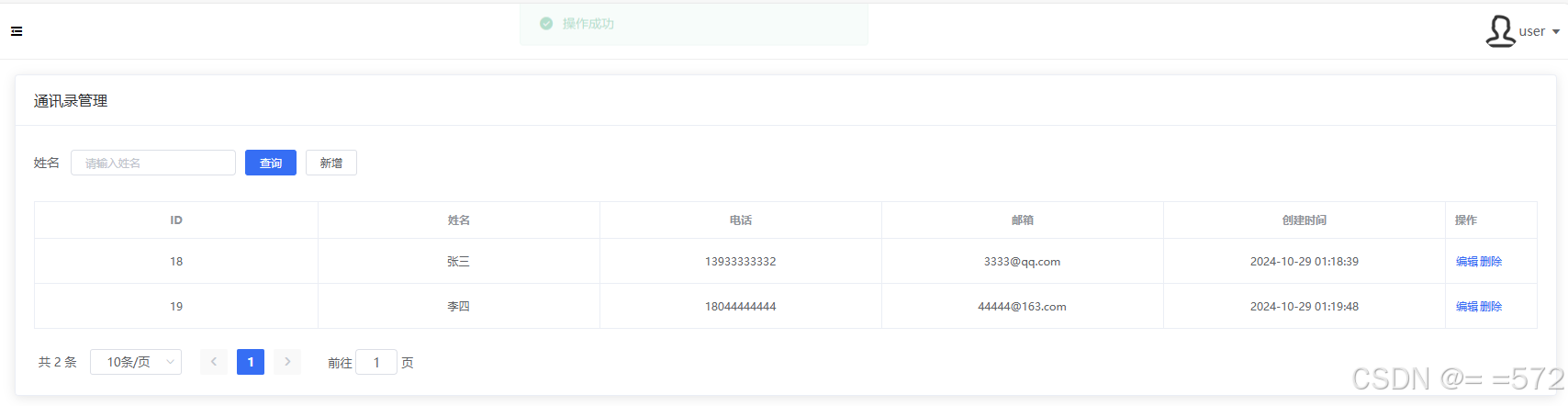
Contact created successfully.
Modify
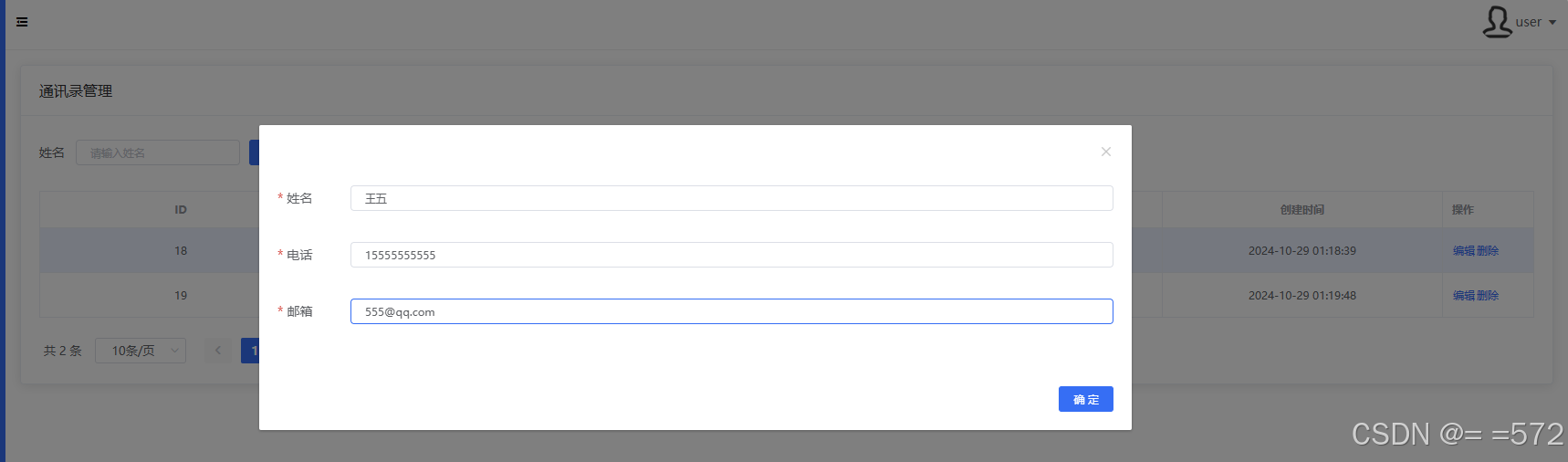
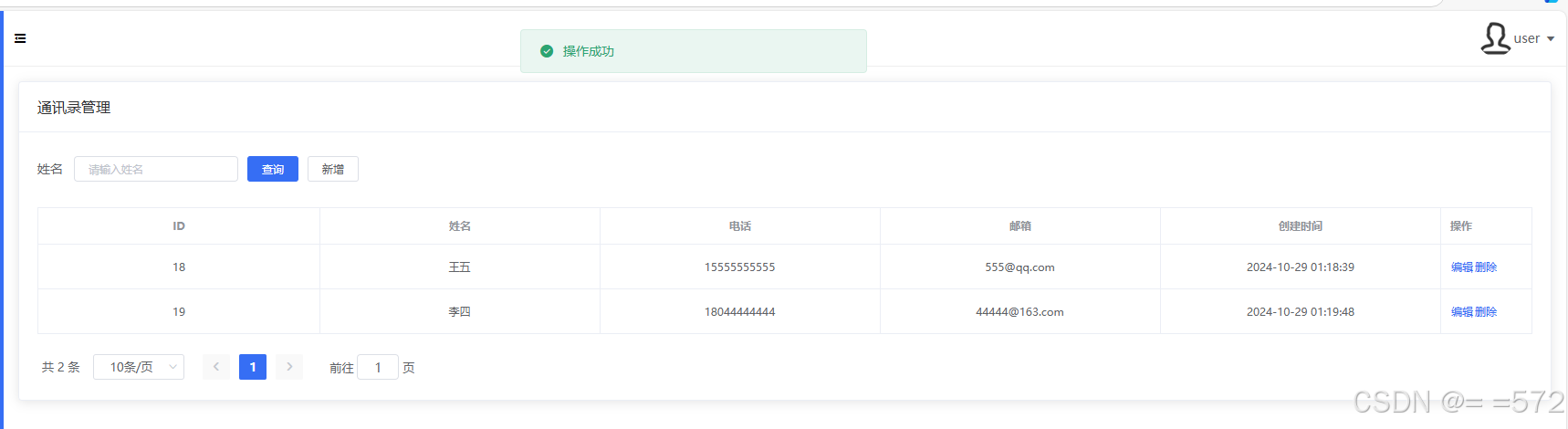
Modify contact information (change Zhang San to Wang Wu).
Delete
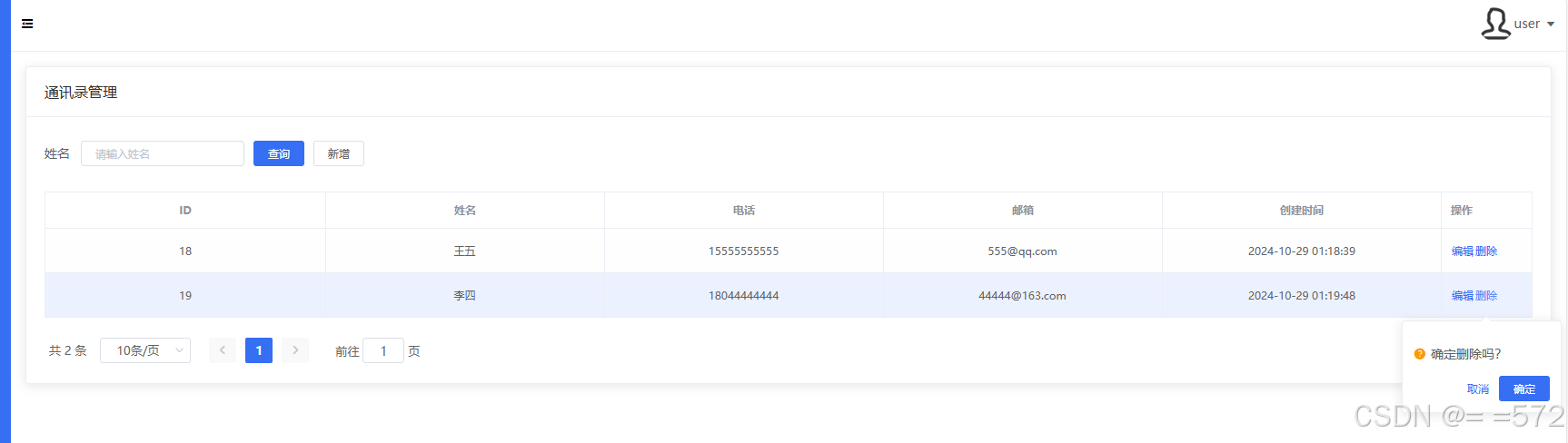
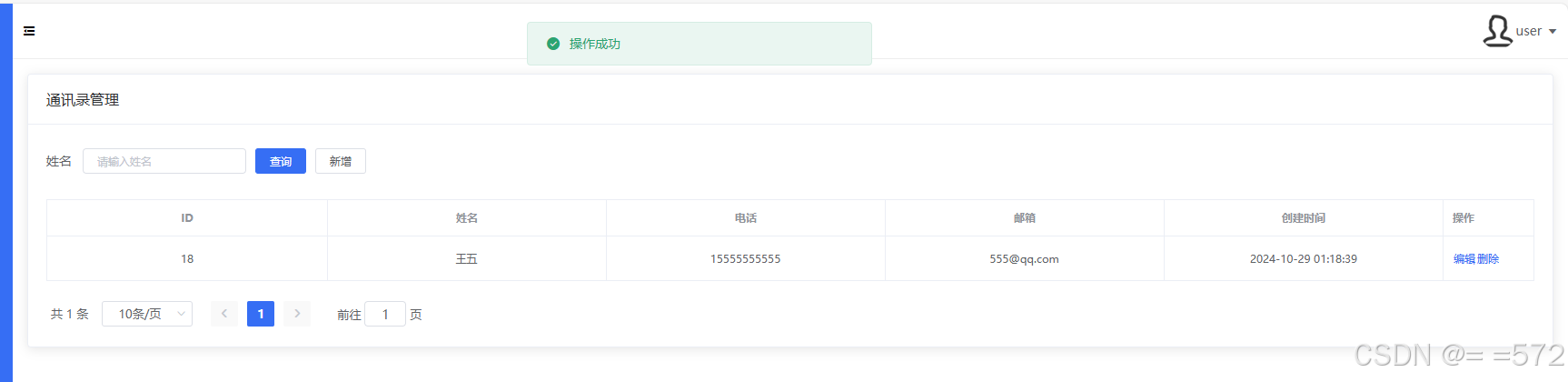
When deleting a contact, a confirmation window will pop up, and the contact will only be deleted upon confirmation (Li Si was successfully deleted).
Log out
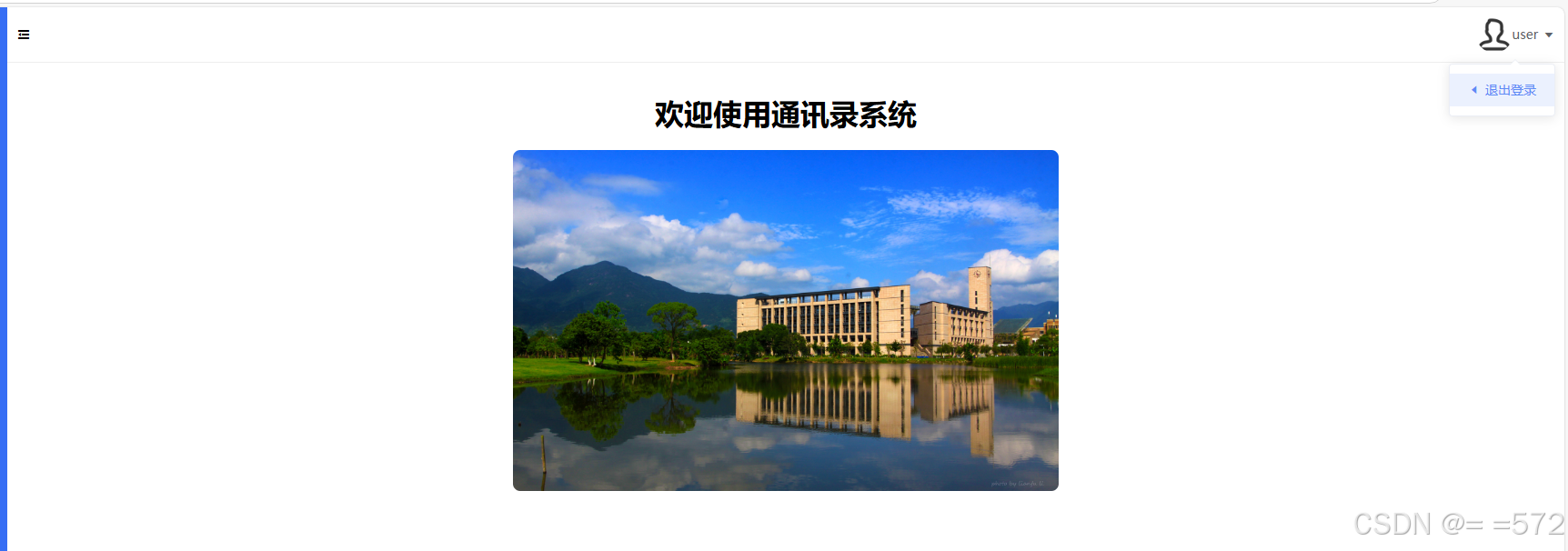
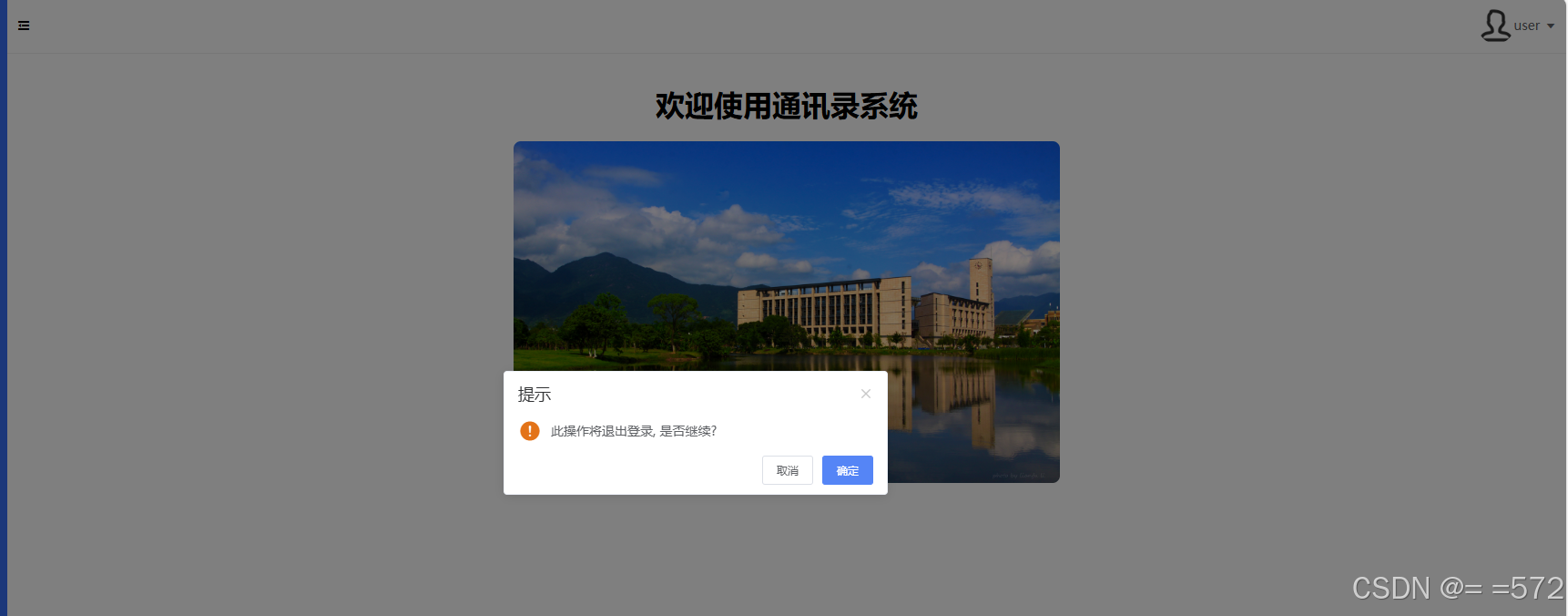
Users can log out of the system at any time. The system will log out upon confirmation.
Administration Function
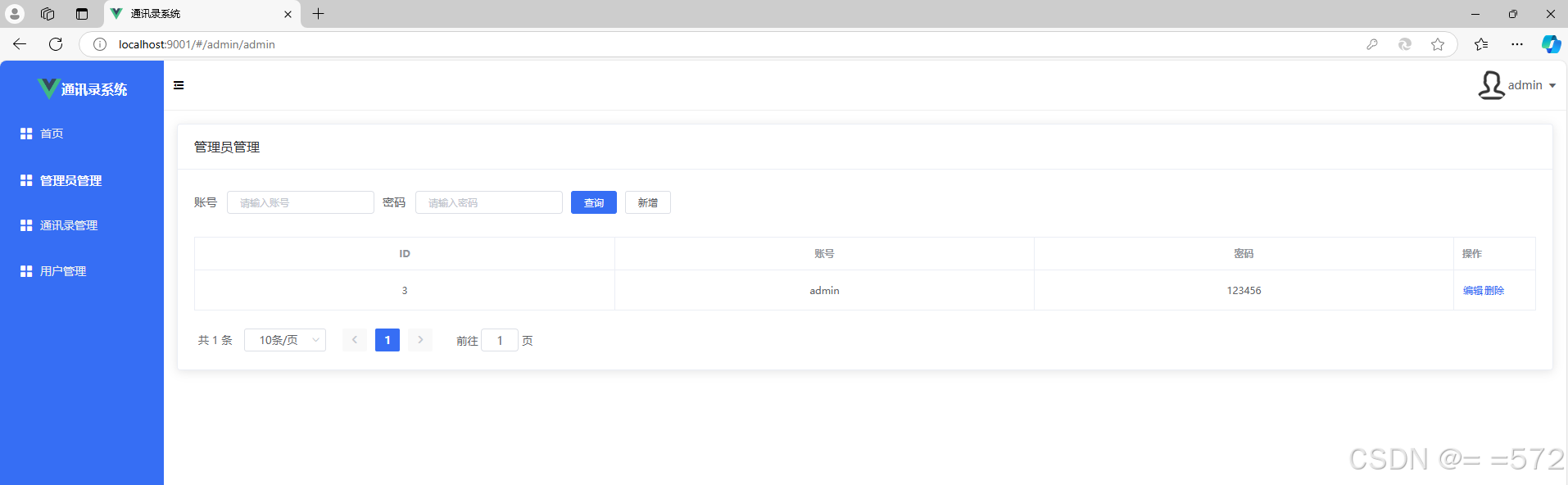
An administrator account is directly created in the database, and once logged in, this account can create new administrators.
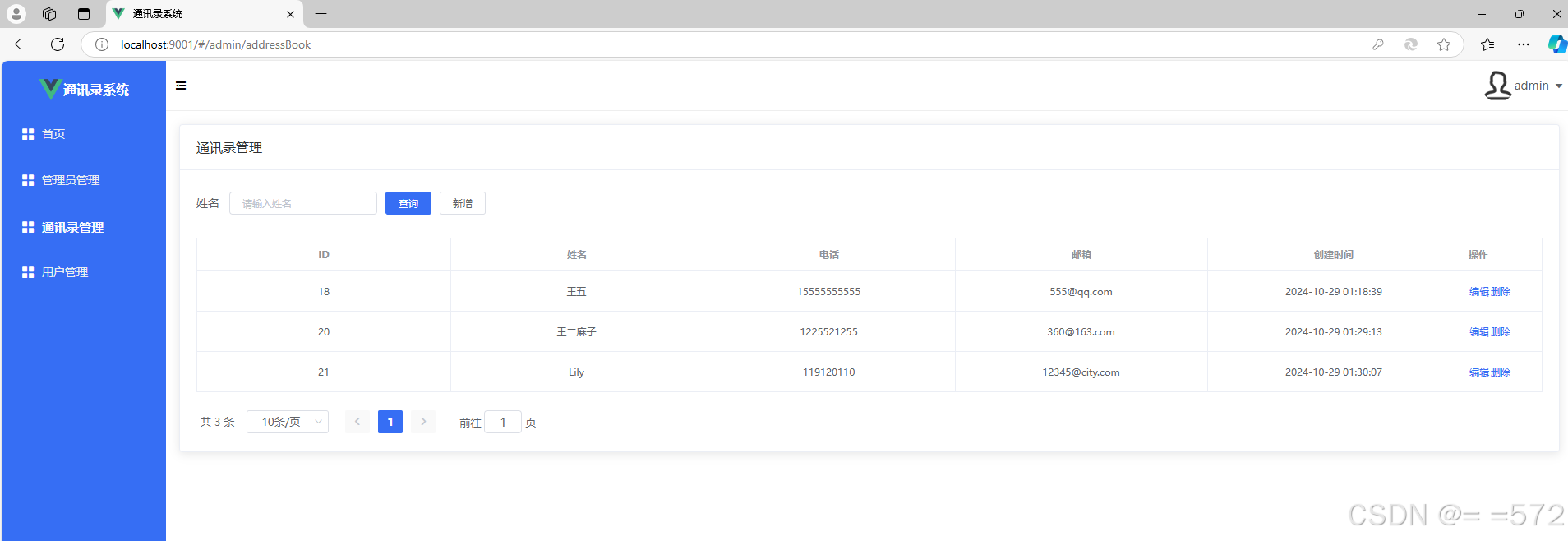
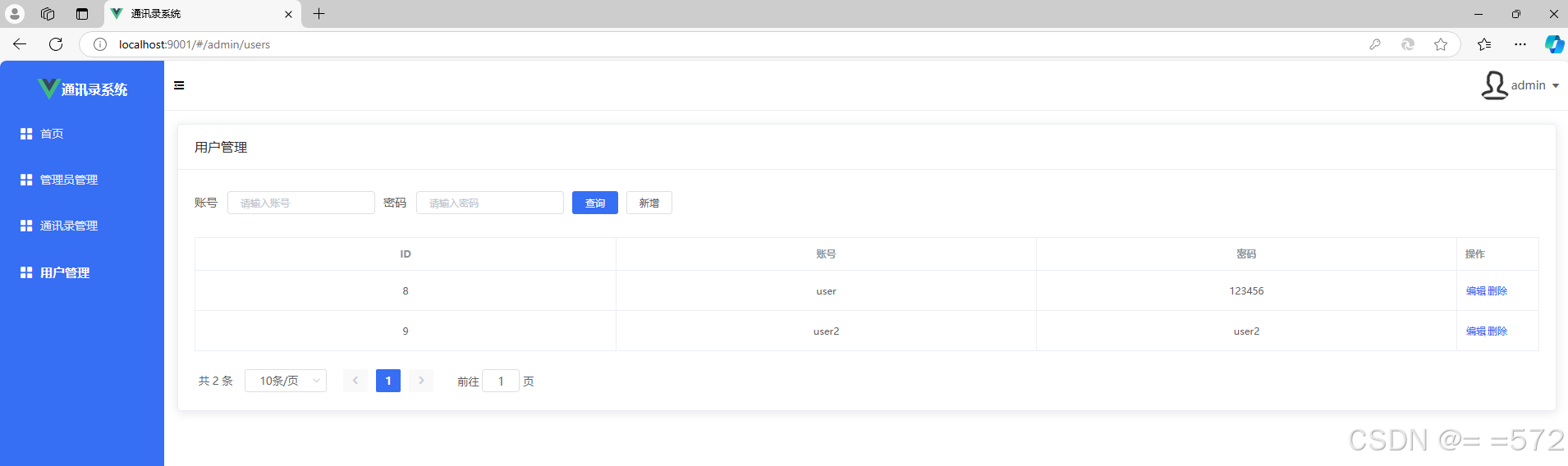
The administrator account can view all contact information created by users along with the creation time, modify these contacts freely, and manage users (add or delete users).
Search
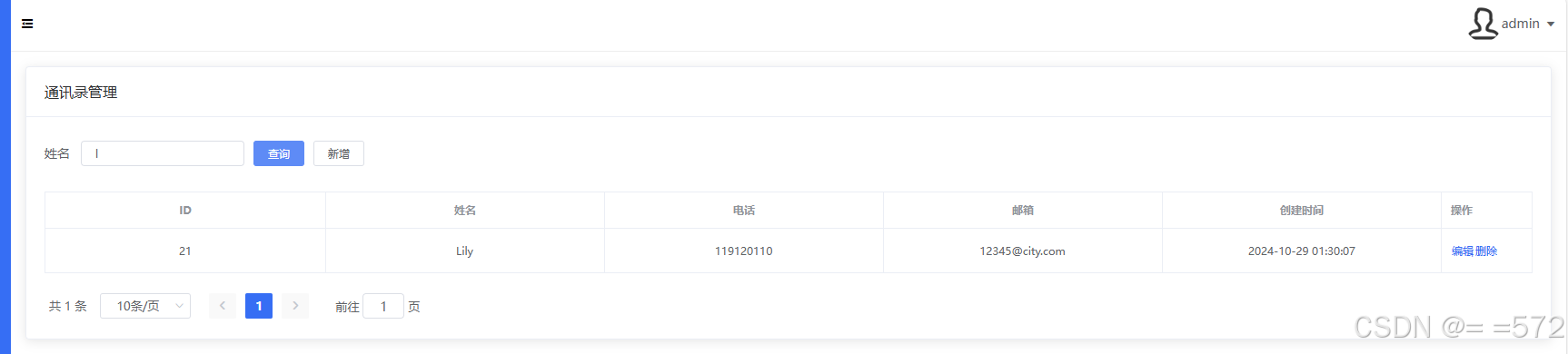
To facilitate management, contacts in the address book can be searched by entering keywords.
Basic features
Additional features
Two types of people can log in (administrators and regular users).
Regular users can register an account, log in, and manage their own contacts. Administrator can manage all users and contacts in the system and has the ability to create new administrators.
Frontend: Built with the Vue framework, primarily handling page display and user interaction, including the login, registration, and add, delete, and modify contact interfaces.
Backend: Built with the SpringBoot framework, responsible for business logic, permission management, and data processing. API interfaces are used for front-end and back-end communication.
Database: MySQL is used to store user and administrator information and contact details. The three main tables are: user table (users) stores user ID, username and password, admin table(admin) stores admin ID, name and passwaord, and contact table (address_book): stores contact ID, associated user ID, name, phone number, email, and creation time.



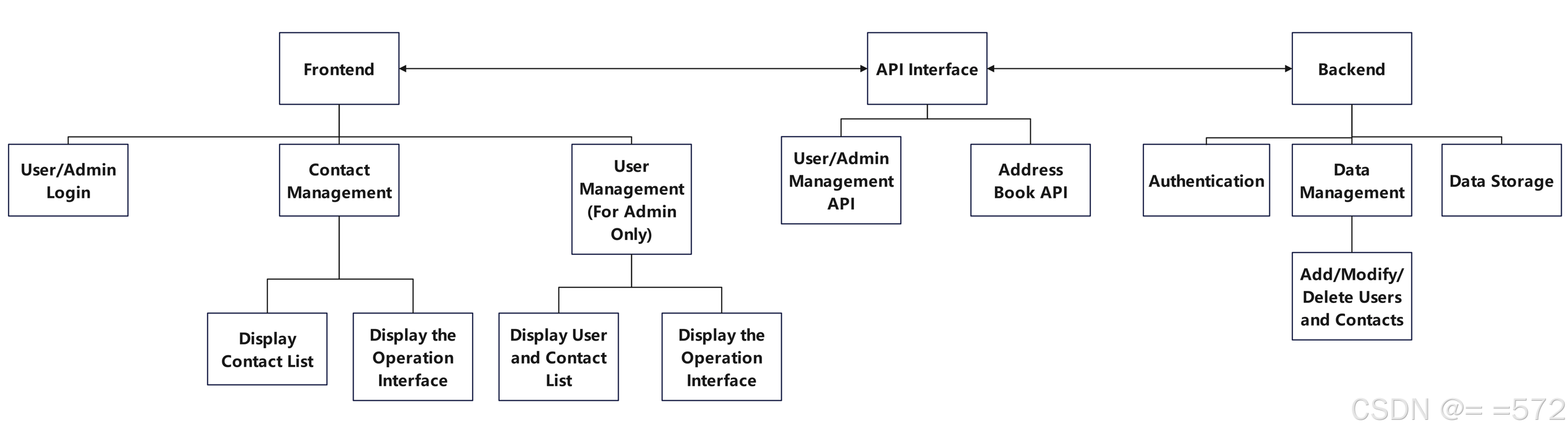
The implementation process for this address book system follows a structured design with distinct responsibilities across the frontend, API interface, and backend layers. The frontend, built with Vue, handles user interactions, including user and admin login, contact management, and admin-only user management. The frontend interface includes options to display the contact list, an operation interface for adding/modifying/deleting contacts, and admin-only features like managing users and viewing the user-contact list.
The API interface serves as a bridge between the frontend and backend, providing well-defined endpoints for user/admin management and address book operations. This layer allows the frontend to interact with backend functions securely and systematically. On the backend side, SpringBoot is used to manage authentication, data management, and data storage. Authentication handles user login and access control, while the data management module processes requests to add, modify, and delete users and contacts in the database, which is stored in MySQL.
    public Result modify(Users users) {
        EntityWrapper entityWrapper = new EntityWrapper();
        entityWrapper.eq("username",String.valueOf(users.getUsername()));
        List oldUser = usersMapper.selectObjs(entityWrapper);
        if(!oldUser.isEmpty()){
            return Result.error("该用户已存在,请重新输入账号");
        }
        usersMapper.updateById(users);
        return Result.success("修改成功");
    }

    public Result add(Users users) {
        EntityWrapper entityWrapper = new EntityWrapper();
        entityWrapper.eq("username",String.valueOf(users.getUsername()));
        List oldUser = usersMapper.selectObjs(entityWrapper);
        if(!oldUser.isEmpty()){
            return Result.error("该用户已存在,请重新输入账号");
        }
        usersMapper.insert(users);
        return Result.success("新增成功");
    }
The modify() and add() methods are used to update and add users by administrator, respectively. To ensure username uniqueness, each method queries the database by username using EntityWrapper. If the same username exists, an error message is returned; otherwise, modify calls updateById() to update user information, and add calls insert() to add a new user.
    public Result login(LoginDTO query, HttpServletRequest request) {
        if("ADMIN".equals(query.getRole())){
            List<Admin> list = adminMapper.selectList(new EntityWrapper().eq("username", query.getUsername()).eq("password", query.getPassword()));
            if(list.size() == 0) return Result.error("账号或密码错误");
            StpUtil.login(list.get(0).getId(),SaLoginConfig.setExtra("role", "ADMIN"));
            SaTokenInfo tokenInfo = StpUtil.getTokenInfo();//获取Token相关参数
            return Result.success("登录成功",tokenInfo.getTokenValue());//返回Token值给前端
        }
        if("USER".equals(query.getRole())){
            List<Users> list = usersMapper.selectList(new EntityWrapper().eq("username", query.getUsername()).eq("password", query.getPassword()));
            if(list.size() == 0) return Result.error("账号或密码错误");
            StpUtil.login(list.get(0).getId(),SaLoginConfig.setExtra("role", "USER"));
            SaTokenInfo tokenInfo = StpUtil.getTokenInfo();
            return Result.success("登录成功",tokenInfo.getTokenValue());
        }
        return Result.error("账号或密码错误");
    }
This code implements the login functionality for users and administrators, ensuring authentication based on different roles. It checks the role using query.getRole(). If the role is "ADMIN", it uses adminMapper to query the database and verify the username and password. If they match, StpUtil.login is called to log in, setting the role as "ADMIN". Then, StpUtil.getTokenInfo() is used to retrieve the Token information and return it to the frontend. If the role is "USER", it performs the same verification with usersMapper and sets the role as "USER". If the username or password doesn’t match, an error message "Account or password incorrect" is returned.
<template>
    <div class="area app-container mt-20">
        <SectionTitle>通讯录详情</SectionTitle>
        <el-card class="box-card">
            <div class="page-container">
                <div class="right-section">
                    <el-descriptions class="margin-top" :column="1" border>
                        <el-descriptions-item>
                            <template slot="label">
                                <i class="el-icon-office-building"></i>
                                姓名
                            </template>
                            {{ addressBook.realname }}
                        </el-descriptions-item>
                      <el-descriptions-item>
                        <template slot="label">
                          <i class="el-icon-office-building"></i>
                          电话
                        </template>
                        {{ addressBook.phone }}
                      </el-descriptions-item>
                      <el-descriptions-item>
                        <template slot="label">
                          <i class="el-icon-office-building"></i>
                          邮箱
                        </template>
                        {{ addressBook.email }}
                      </el-descriptions-item>
                        <el-descriptions-item>
                            <template slot="label">
                                <i class="el-icon-office-building"></i>
                                创建时间
                            </template>
                            {{ addressBook.createTime }}
                        </el-descriptions-item>
                    </el-descriptions>
                </div>

            </div>
            <div class="content" v-html="addressBook.content"></div>
        </el-card>
    </div>
</template>

<script>
import { findAddressBookByIdAPI } from "@/api/addressBook";

export default {
    data() {
        return {
            addressBook: {},
        };
    },
    async created() {
        const { data: addressBook } = await findAddressBookByIdAPI(this.$route.query.id);
        this.addressBook = addressBook;
    },
    methods: {},
};
</script>

<style lang="scss" scoped>
.box-card {
    width: 800px;
    margin: 20px auto;
}

.page-container {
    display: flex;

    .left-section {
        min-height: 500px;
        padding: 14px;

        .details-img {
            width: 80%;
            height: 300px;
        }
    }

    .right-section {
        padding: 14px;
        flex: 1;
    }
}
</style>
This code defines a Vue component for displaying address book details. In the created hook, it calls an API to fetch address book data based on the route ID, binding the result to the addressBook object. The template uses el-card and el-descriptions to layout the information in a card format, displaying the user's name, phone, email, and creation time, with the details content rendered using v-html. The styles set the card width and layout, ensuring the content is centered and neatly displayed.
Github repository link: https://github.com/yuanhaoxia/832202123_contacts
Deployment: http://121.37.137.21:9001/
Codestyle.md link: https://github.com/yuanhaoxia/832202123_contacts/blob/main/codestyle.md
source: Alibaba Java Coding Guidelines https://github.com/alibaba/Alibaba-Java-Coding-Guidelines
