


111,119
社区成员
 发帖
发帖 与我相关
与我相关 我的任务
我的任务
 分享
分享背景:在我的Winform中使用了CefSharp goodle浏览器,在触摸屏下,点击输入框无法自动弹出软键盘;
但是相同的网址在浏览器中打开,点击输入框时,会自动弹出软键盘。请参考下面的图片:
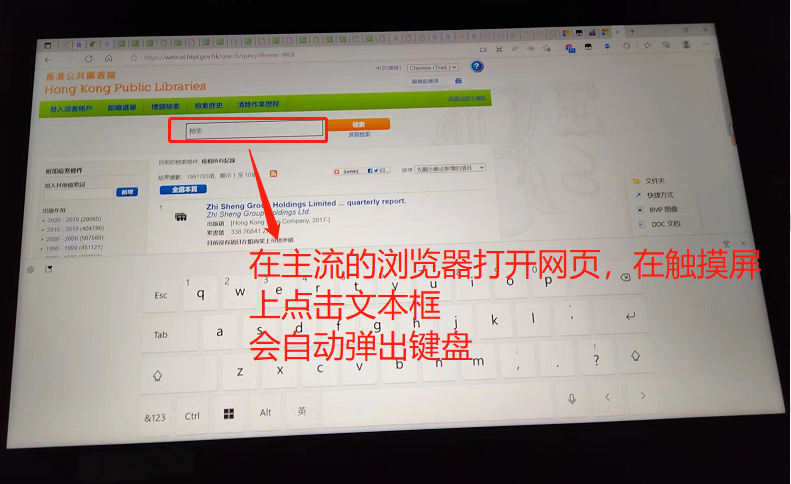
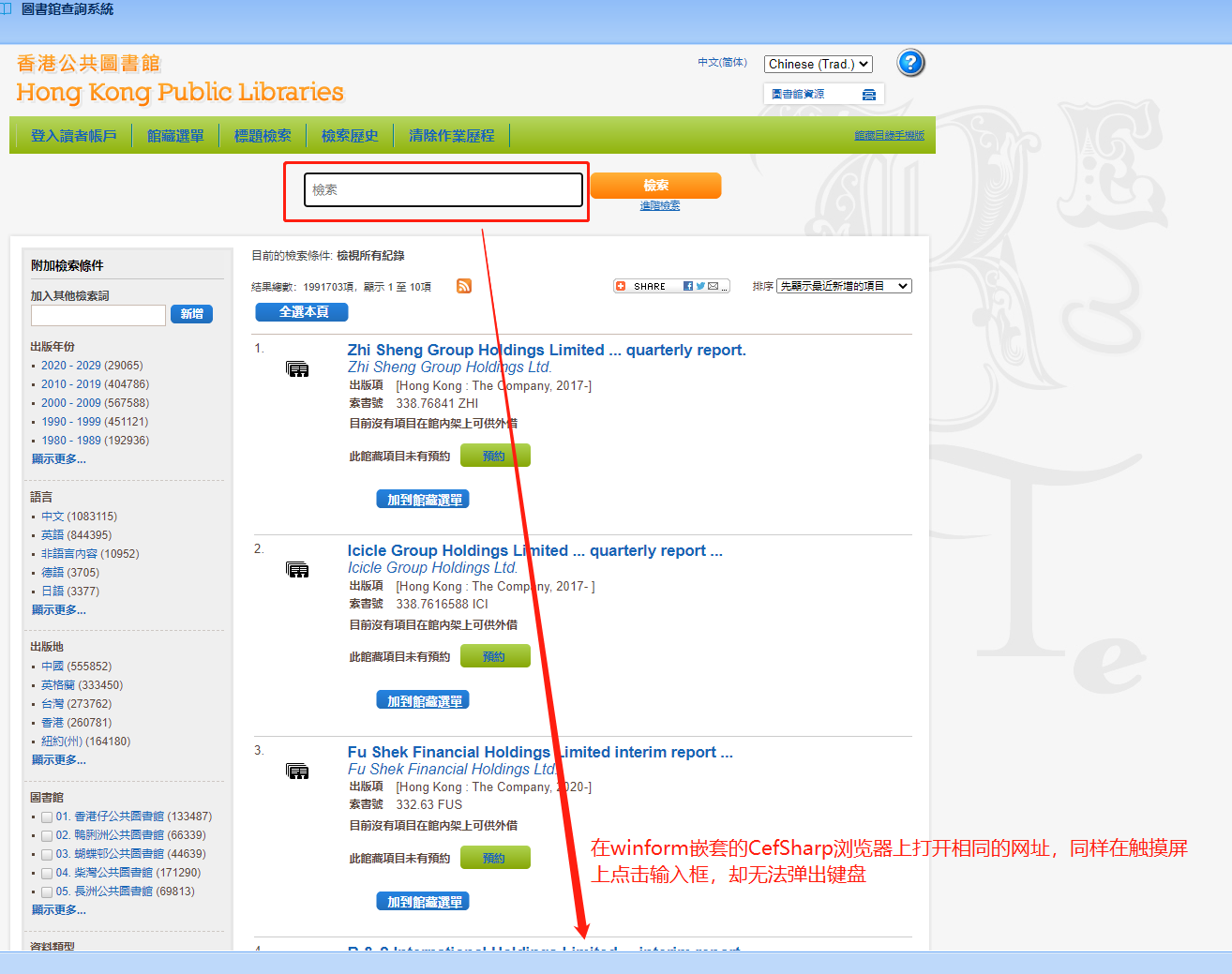
如上面的图片所示,我使用的是触摸屏,没有键盘,第一张图是在主流浏览器打开的,一旦点击输入框立马弹出软键盘;但是在嵌套的CefSharp 浏览器中却不行。
请教各位指点,有什么解决方案呢?谢谢!

在使用winforms和CefSharp的应用程序中,在触摸屏幕上,如果要调用系统软键盘以响应HTML输入框的点击,可以遵循以下步骤:
CefSettings.CefCommandLineArgs["touch-events"]设置为enabled。这将使CefSharp支持在触摸屏幕上接收触摸事件。var settings = new CefSettings();
settings.CefCommandLineArgs.Add("touch-events", "enabled");
Cef.Initialize(settings);
Load事件处理程序中注册一个CefSharp.EventHandlerProxy,以便监视由CefSharp执行的任何JavaScript事件。 private void Form_Load(object sender, EventArgs e)
{
browser.RegisterJsObject("boundAsync", new AsyncBoundObject(this));
browser.FrameLoadEnd += Browser_FrameLoadEnd;
}
private void Browser_FrameLoadEnd(object sender, FrameLoadEndEventArgs e)
{
if (e.Frame.IsMain)
{
var script = @"
document.addEventListener('click', function(event) {
if (event.target.tagName === 'INPUT') {
event.target.focus();
window.boundAsync.showKeyboard();
}
});";
browser.ExecuteScriptAsync(script);
}
}
showKeyboard的方法的异步绑定对象,在该方法中,使用Windows API调用来显示系统软键盘。public class AsyncBoundObject
{
private readonly Form form;
public AsyncBoundObject(Form form)
{
this.form = form;
}
public async void ShowKeyboard()
{
await Task.Run(() =>
{
IntPtr handle = GetForegroundWindow();
if (handle != IntPtr.Zero)
{
PostMessage(handle, WM_SYSCOMMAND, SC_RESTORE, 0);
IntPtr foregroundWindow = GetForegroundWindow();
IntPtr focusedControl = GetFocus();
if (focusedControl == IntPtr.Zero || !IsChild(foregroundWindow, focusedControl))
{
// Send a message to the active window to display the soft keyboard.
PostMessage(foregroundWindow, WM_IME_SETCONTEXT, IntPtr.Zero, new IntPtr(1));
PostMessage(foregroundWindow, WM_IME_NOTIFY, IMN_OPENSTATUSWINDOW, 0);
}
}
});
}
[DllImport("user32.dll")]
private static extern IntPtr GetForegroundWindow();
[DllImport("user32.dll")]
private static extern bool IsChild(IntPtr hWndParent, IntPtr hWnd);
[DllImport("user32.dll")]
private static extern IntPtr GetFocus();
[DllImport("user32.dll")]
private static extern bool PostMessage(IntPtr hWnd, uint Msg, IntPtr wParam, IntPtr lParam);
private const uint WM_SYSCOMMAND = 0x0112;
private const uint SC_RESTORE = 0xF120;
private const uint WM_IME_SETCONTEXT = 0x0281;
private const uint WM_IME_NOTIFY = 0x0282;
private const uint IMN_OPENSTATUSWINDOW = 0x0002;
}
这些步骤将允许您在HTML输入框中单击以启动系统软键盘。


