

111,123
社区成员
 发帖
发帖 与我相关
与我相关 我的任务
我的任务
 分享
分享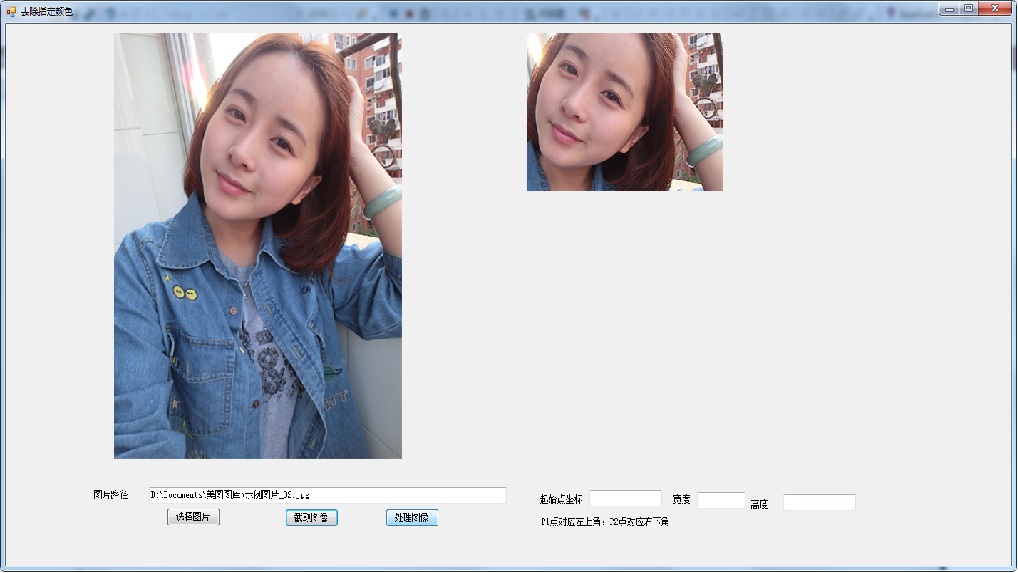
using System;

using System.Collections.Generic;

using System.ComponentModel;

using System.Data;

using System.Drawing;

using System.Linq;

using System.Text;

using System.Threading.Tasks;

using System.Windows.Forms;


namespace test

{

    public partial class 去除指定颜色 : Form

    {

        public 去除指定颜色()

        {

            InitializeComponent();

        }


        private void btnSelect_Click(object sender, EventArgs e)

        {

            OpenFileDialog dialog = new OpenFileDialog();

            if (dialog .ShowDialog() == DialogResult.OK)

            {

              this.txbPic.Text = dialog.FileName;

                Bitmap bm = new Bitmap(Image.FromFile(dialog.FileName));

                //pictureBox1.BackgroundImage =bm;

                 this.pictureBox1.ImageLocation=dialog.FileName;

            }

        }

          private void btnCut_Click(object sender, EventArgs e)

        {

            Bitmap source = new Bitmap(txbPic.Text);


            //我想自动获取p1点和size信息

            Point p1=new Point(100,50);//起始点p1

            Size s=new Size (300,200);//选取的图像宽和高


            Rectangle section = new Rectangle(p1,s);


            Bitmap cutPic = CropImage(source, section);

            pictureBox2.Image = cutPic;

        }

        private void btnRemove_Click(object sender, EventArgs e)

        {


        }


        //剪切图片

        public Bitmap CropImage(Bitmap source, Rectangle section)

        {

         // An empty bitmap which will hold the cropped image

         Bitmap bmp = new Bitmap(section.Width, section.Height);


         Graphics g = Graphics.FromImage(bmp);


         // Draw the given area (section) of the source image

         // at location 0,0 on the empty bitmap (bmp)

         g.DrawImage(source, 0, 0, section, GraphicsUnit.Pixel);


         return bmp;

        }


    }

}


